
Google Business Profile Optimisation in 2026: A 30-Point Checklist Built on Relevance, Distance and Prominence

In this article
Google ranks local results on three factors: relevance, distance and prominence. Distance you can’t change, so the 30 points below work on the other two, plus the trust rules that keep a profile from being suspended. They fall into five groups: eligibility and trust (8 points), relevance (10), location and corroboration (5), prominence (5), and AI answers and upkeep (2). Setup takes about 4 to 6 hours. Upkeep takes 30 to 60 minutes a month and costs RM0. The point we see broken most often is the Signage Rule: your profile name must match your shopfront sign word for word.
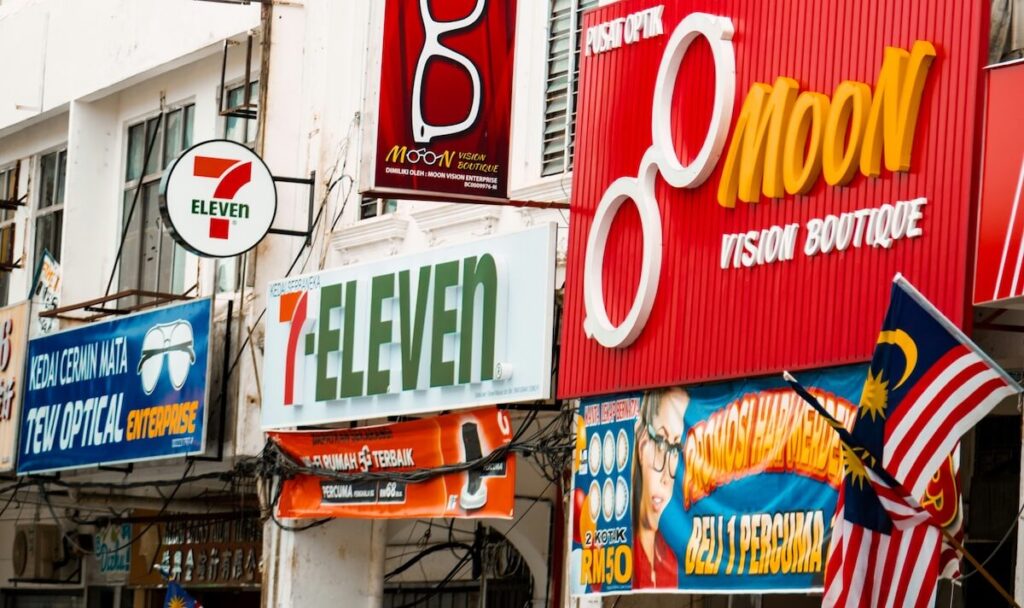
What You’ll Need Before Starting
You need Owner or Manager access to the Business Profile, a phone that can record a short verification video, your exact signage name and trading address, and 4 to 6 hours for the first pass. No paid tools are required. Every point below uses free Google features or your own website.
- Access: Owner or Manager role on the profile (business.google.com). Agencies should be added as Managers, never given the owner’s Google password.
- Proof of the real business: photos of your signage, plus a utility bill or SSM document showing the trading address. You need these if verification or a reinstatement appeal asks for them.
- Your website: edit access to the page the profile will link to. For multi-branch businesses that is one location page per branch.
- Time: about 4 to 6 hours for the first pass (our estimate for a single-location business), then 30 to 60 minutes a month.
Why This Checklist Works
Quick Answer: Google says local results are mainly based on relevance, distance and prominence. Relevance comes from your category, name and listed services. Distance comes from where the searcher is. Prominence comes from reviews, links and how widely you are mentioned. Each of the 30 points targets one of those, or protects the profile from spam filters.
Distance isn’t fixed per business. It depends on the query. Google has patented methods where each type of search gets its own “location sensitivity”. People will not travel far for “kopi” or “tyre puncture repair”, so the map area considered is small. They will travel across the Klang Valley for “orthodontist” or “wedding photographer”, so the area is wide. Within that area, businesses are ordered by prominence: reviews, mentions on other sites, links, and the strength of the business’s own website. A dental clinic in Bangsar therefore competes with clinics across a much wider radius than a mamak on the same row.
Relevance works through matching. Google has described scoring local relevance by matching the words in a search against the business name and category. That is why keyword-stuffed names (“Best Dentist KL Dental Clinic Bangsar”) can rank, and why Google built separate systems to catch them. One patent scores how statistically unusual the word combinations in a business title are. Another compares the name, category, phone and address against trusted sources such as directories and data providers, and treats phrases that only appear in untrusted sources as likely spam. A stuffed name is a gamble against filters built for exactly that.
Facts are cross-checked before they are shown. Google merges business facts from your profile, your website, directories and data providers, and gives each fact a confidence weight. Facts that sources disagree on can lose weight or stop showing. Since December 2025, Google’s AI “Ask” button on Business Profiles has replaced the old Q&A section. It answers customer questions from those same profile fields, your reviews and your website, so missing or conflicting facts now cost you twice: in the ranking and in the answer.
The 30-Point Checklist at a Glance
Table 1: All 30 points by group, the ranking factor each serves, and estimated time
| # | Point | Group | Serves | Time |
|---|---|---|---|---|
| 1 | Verify the profile | Eligibility and trust | Trust | 15 min + wait |
| 2 | Set the right business type (storefront, service-area, hybrid) | Eligibility and trust | Trust, distance | 5 min |
| 3 | Match the name to your signage (the Signage Rule) | Eligibility and trust | Trust, relevance | 5 min |
| 4 | Use an eligible address (no virtual offices) | Eligibility and trust | Trust | 5 min |
| 5 | Format the address the same way everywhere | Eligibility and trust | Corroboration | 10 min |
| 6 | Place the map pin on your actual door | Eligibility and trust | Distance, trust | 10 min |
| 7 | Keep one profile per location; remove duplicates | Eligibility and trust | Trust | 15 min |
| 8 | Use a local number that rings the location | Eligibility and trust | Trust, corroboration | 5 min |
| 9 | Choose the most specific primary category | Relevance | Relevance | 15 min |
| 10 | Add only genuine additional categories | Relevance | Relevance | 10 min |
| 11 | List services in your customers’ words | Relevance | Relevance | 30 min |
| 12 | Add products or menu items (if applicable) | Relevance | Relevance | 30 to 60 min |
| 13 | Write a 750-character description | Relevance | Relevance | 20 min |
| 14 | Fill every attribute that applies | Relevance | Relevance | 10 min |
| 15 | Set accurate regular hours | Relevance | Relevance | 5 min |
| 16 | Add special hours for Malaysian public holidays | Relevance | Trust | 10 min/year |
| 17 | Add your opening date | Relevance | Corroboration | 2 min |
| 18 | Link to the right website page, tagged | Relevance | Relevance, measurement | 10 min |
| 19 | Set service areas (max 20, within ~2 hours’ drive) | Location and corroboration | Distance | 10 min |
| 20 | Build a location page with NAP, schema and a map | Location and corroboration | Corroboration | 1 to 2 hrs |
| 21 | Match NAP on Apple, Bing, Waze and Facebook | Location and corroboration | Corroboration | 1 hr |
| 22 | Fix outdated third-party listings | Location and corroboration | Corroboration | 30 min |
| 23 | Make directions one tap away | Location and corroboration | Prominence | 10 min |
| 24 | Run a steady review system (no incentives, no gating) | Prominence | Prominence | 30 min setup |
| 25 | Ask for reviews that name the service and area | Prominence | Prominence, AI answers | ongoing |
| 26 | Reply to every review, negatives in public | Prominence | Prominence, trust | 10 min/week |
| 27 | Upload photos that prove the business is real | Prominence | Trust, prominence | 30 min |
| 28 | Earn local links and mentions | Prominence | Prominence | ongoing |
| 29 | Feed the AI answers: FAQs on site, posts on profile | AI and upkeep | AI answers | 30 min/month |
| 30 | Run a monthly profile check | AI and upkeep | Trust | 30 min/month |
Group 1: Eligibility and Trust (Points 1 to 8)
These 8 points decide whether Google treats your profile as a real, eligible business. A profile that breaks the name, address or duplicate rules can be suspended. A suspended profile drops out of Search and Maps entirely, whatever its reviews, until an appeal succeeds. Fix these before anything else.
1. Verify the profile. In the profile dashboard, an unverified status shows as “Get verified”. Google now often asks for a short continuous video showing the signage, the inside of the premises and proof you can access it, such as unlocking the door or opening the till. Done when the profile shows as verified with no pending edits.
2. Set the right business type. Customers come to you: storefront, address visible. You go to customers, as plumbers, aircon servicing and mobile car wash do: service-area business, address hidden. Both apply, like a tyre shop with roadside help: hybrid, address visible plus service areas. Google’s guidelines say service-area businesses should hide their address. Showing a home address as a “storefront” is a common suspension trigger.
3. Match the name to your signage (the Signage Rule). Your profile name should be the name on your shopfront, website and invoices, nothing more. Google’s guidelines ban taglines, locations, service descriptions and “unnecessary information” in the name. They also reject legal terms like “Sdn Bhd” unless you can prove the business uses them in the real world, such as on signage or invoices. “Klinik Gigi Senyum” passes. “Klinik Gigi Senyum | Dentist Bangsar Braces Whitening” does not. Google has patented methods that read sign text from Street View and owner photos and compare it with the listed name, so a name that isn’t on the shopfront has nothing to back it up.
4. Use an eligible address. P.O. boxes, remote mailboxes and virtual offices are not eligible. Co-working spaces qualify only with permanent signage, staff present and customers received during business hours. In KL that rules out many “business address” packages sold in office towers.
5. Format the address the same way everywhere. Put the street address in Address Line 1 and the unit or lot in Address Line 2. In Malaysian format that is “Lot G-12” or “No. 3-1” in Line 2, and the jalan, taman, postcode, city and state in Line 1 and the following fields. Copy that exact string to your website, Facebook, Waze and invoices. Points 20 to 22 depend on this being identical.
6. Place the map pin on your actual door. Drag the pin to the entrance, not the middle of the building or the mall’s main gate. Google has patented a check that flags listings pinned within a set radius of a landmark, because borrowing a landmark’s location is a known proximity trick. Shops inside Mid Valley, Sunway Pyramid or Gurney Plaza are legitimate but sit close to big points of interest. Expect extra verification, and back the pin with photos of the unit number.
7. Keep one profile per location and remove duplicates. Search Maps for your name and phone number. Old profiles from a previous address or an ex-staff member’s account split your reviews and confuse the location. Claim them, then mark them “permanently closed” or request removal. Google’s guidelines allow one profile per location, with exceptions only for distinct departments and individual practitioners.
8. Use a local number that rings the location. Google wants a number “under the direct control of the business” that reaches that location. Premium-rate numbers and numbers that redirect elsewhere are not allowed. For branches, give each one its own line. Google’s spam systems treat one phone number repeated across several listings as a fake-listing pattern.
Before paying anyone to “optimise” a profile, check points 3, 4 and 7 yourself. Breaking any one of them can wipe out everything else on this list.
Group 2: Relevance (Points 9 to 18)
Quick Answer: Relevance is how well your profile matches the search. The primary category carries the most weight. After that come your additional categories (up to 9), services, products, description, attributes and hours. Google’s own guidance is to use as few categories as possible and pick the ones that complete the sentence “This business IS a…”.
9. Choose the most specific primary category. Pick the narrowest category that describes your core business. Use “Orthodontist”, not “Dentist”, if braces are the main work; “Nasi lemak restaurant” if it exists for you rather than “Restaurant”. Check what the top three profiles in your area use: open each in Maps, and the category shows under the name. Google has described learning category synonyms from what searchers click and ask directions to, so a café not listed as a coffee shop can miss “coffee shop” searches.
10. Add only genuine additional categories. You can add up to 9, but Google’s guideline is to use as few as possible. Add a category only if you could say “this business IS a [category]”. A spa that sells skincare can add “Skin care clinic” if it offers treatments, but not “Cosmetics store” just because a shelf of products sits by the counter.
11. List services in your customers’ words. Under Services, add each service as a separate item with a short description. Use the words customers type: “aircon chemical wash”, “gas top-up”, “braces consultation”. This is also where a BM or Mandarin service name belongs if that is how your customers ask for it.
12. Add products or menu items. Retailers and restaurants should add their main products or menu items with a photo, price and description. These show on the profile, and AI answers can quote them. A bakery in Penang listing its specific items gives the “Ask” button something concrete to say when someone asks what it sells.
13. Write a 750-character description. Say what the business is, who it serves, where, and what is specific about it, such as years running, specialisms and languages spoken. Google’s guidelines ban links, prices, promotions and gimmicky characters in the description. Put the most important line first, because only the opening shows before “More”.
14. Fill every attribute that applies. Attributes cover things like wheelchair access, parking, payment options, dine-in or takeaway, and “identifies as women-owned”. Which ones appear depends on your category. Google lists attributes such as parking and Wi-Fi among the details that help ranking. They also answer common questions before a customer has to call.
15. Set accurate regular hours. Use customer-facing hours, not staff hours. For split hours (lunch and dinner), add both ranges. Google says appointment-only and variable-hours businesses such as hotels and event venues should not list hours.
16. Add special hours for Malaysian public holidays. Set special hours in advance for Hari Raya Aidilfitri, Chinese New Year, Deepavali, Christmas, and your state’s own holidays (Thaipusam in Selangor and Penang, for example). A customer who drives to a closed shop on CNY day is likely to leave a one-star review, and Google uses closure reports from visitors to check whether listed hours are accurate.
17. Add your opening date. This is a small field that corroborates how long the business has existed. Use the same year your website and SSM records show.
18. Link to the right page, tagged. Single-location businesses link to the homepage or a contact page. Multi-branch businesses link each profile to its own location page (point 20), never all to the homepage. Add a UTM tag, for example ?utm_source=google&utm_medium=organic&utm_campaign=gbp, so GA4 shows profile traffic separately from organic search.
Want to know where your profile stands? Our free 2-day audit snapshot checks your Business Profile against Google’s eligibility rules and flags the issues most likely to cost you Map Pack visibility. Get your free SEO audit →
Group 3: Location and Corroboration (Points 19 to 23)
Quick Answer: Google cross-checks your address, phone, hours and category against your website and other directories before trusting them. These 5 points make every source agree: up to 20 service areas, a location page with the same details as your profile, and identical listings on Apple Business Connect, Bing Places, Waze and Facebook.
19. Set service areas (max 20, within about 2 hours’ drive). Service-area and hybrid businesses can add up to 20 cities, postcodes or areas. Google’s guideline is that the whole area should not extend beyond about 2 hours’ driving time. For a Petaling Jaya aircon service, that might be PJ, Subang Jaya, Shah Alam, Kuala Lumpur and Puchong, not Johor Bahru. Service areas describe coverage. They do not make you rank in each area.
20. Build a location page with NAP, schema and a map. Your website should be the most complete source about the business. Give each location one page with the name, address and phone in plain text (not an image), hours, parking and access notes, an embedded map, and LocalBusiness schema matching the profile exactly. Link to it from your service pages. For our own Kuala Lumpur, Selangor and Penang pages, see SEO agency Kuala Lumpur.
21. Match NAP on Apple, Bing, Waze and Facebook. Claim Apple Business Connect, Bing Places and Waze, and update your Facebook page. Many Malaysians navigate with Waze or Apple Maps, so these listings also bring their own traffic. Copy the name, address string from point 5, and phone number exactly.
22. Fix outdated third-party listings. Search your old address and old phone number in Google. Every directory, marketplace or news page still showing them is a source disagreeing with your profile. Update the ones you control and request corrections on the rest, starting with the ones that rank highest.
23. Make directions one tap away. Add a “Get directions” link to your Business Profile on your location page and in WhatsApp replies. Google has published research ranking places by how often people ask for directions to them, and direction requests show in your profile’s performance data. They count as an action, not just an impression.
Key takeaway: After a move, budget a month to chase old listings. Until every source agrees on the new address, Google may show the old hours or address to customers.
Group 4: Prominence (Points 24 to 28)
Quick Answer: Prominence is how well known a business is. Google names reviews (count and rating) and links from other websites as inputs. Five points build it: a steady review system, reviews that name the service and area, a reply to every review, photos that prove the business is real, and genuine local links and mentions.
24. Run a steady review system. In the profile dashboard, use “Ask for reviews” to get your short link and QR code. Put it on the receipt, the counter and the WhatsApp message sent after a job. Google’s review policies ban offering anything in return for a review and asking only happy customers (“review gating”). A steady flow across the year looks natural. Google has patented ways to discount bursts of five-star reviews from one-off accounts and weight established reviewers more.
25. Ask for reviews that name the service and area. Ask “Could you mention which service we did?” rather than “Please leave us 5 stars”. Google summarises recurring phrases from reviews into the topics shown on your profile (“people often mention”), and its AI answers draw on the same text. A review saying “replaced my water heater in Taman Tun” helps more than “good service”.
26. Reply to every review, negatives in public. Reply within a few days, by name, and mention the specific service. For a negative review, apologise for the experience, state the facts once, and offer a direct contact. The reply is for the next customer reading, not the reviewer. Never post private health or account details in a reply, which the PDPA also covers.
27. Upload photos that prove the business is real. Upload an exterior shot with the signage readable (the Signage Rule again), the entrance, the interior, your team at work, and finished jobs or products. Upload new ones every month or two, not 50 at once. Google has described checking listings against Street View and owner photos for sign text and address, so photos that clearly show your name and unit number support verification.
28. Earn local links and mentions. Prominence counts how often other sites mention the business, even without a link. Good Malaysian sources include your trade association’s member directory, suppliers’ “where to buy” pages, local news and community features, event sponsorships, and university or hospital partner lists. Ten genuine local mentions do more than 200 generic directory submissions.
Group 5: AI Answers and Upkeep (Points 29 and 30)
Quick Answer: Google discontinued the Q&A API on 3 November 2025, then confirmed in December 2025 that the Business Profile Q&A section is being replaced by an AI “Ask” button. That button answers from your profile fields, reviews and website. Point 29 keeps those sources complete. Point 30 is the monthly check that catches unwanted edits before customers see them.
29. Feed the AI answers. Move the questions you used to answer in Q&A onto your website as a FAQ on the location or service page: parking, payment methods, halal status, languages spoken, whether walk-ins are accepted. Mark it up with FAQPage schema. Use profile posts for anything time-bound, such as a Raya promotion or new opening hours. In Maps, where the “Ask” button is available, ask it your five most common customer questions and fix whatever source caused a wrong answer.
30. Run a monthly profile check. Once a month:
- Look for “Google updated your profile” notices and suggested edits from the public, and reject any that are wrong.
- Check that the name, category, hours and pin haven’t changed.
- Read the performance numbers: calls, direction requests, website clicks and the searches that found you.
- Confirm new reviews have replies.
Public edits can go live without your approval, which is why this check is monthly rather than yearly.
For each wrong AI answer, find the source rather than complaining to Google. It is almost always a missing profile field, an old directory listing or an unclear page on your own site.
How to Know It’s Working
Table 2: What to measure, where to find it, and when it usually moves
| Metric | Where | Type | When it moves |
|---|---|---|---|
| Profile completeness (no empty fields) | Profile dashboard | Input | Same day |
| Searches showing your profile | Performance → Searches | Leading | 2 to 6 weeks |
| Direction requests | Performance | Leading | 4 to 8 weeks |
| Review count and rating | Profile | Leading | Monthly |
| Calls and website clicks (UTM in GA4) | Performance, GA4 | Lagging | 1 to 3 months |
| Map Pack position for your 5 main queries | A grid rank tracker or manual checks from 3 locations | Lagging | 1 to 3 months |
Source: metric locations from Google Business Profile performance reports. Timings are typical ranges from our local campaigns, not guarantees. Competitor activity and category density shift them.
The honest limit: no checklist overrides distance. In a dense category like dental clinics in the Klang Valley, a profile 6 km from the searcher will rarely make the three-pack for a “near me” search, however complete it is. For customers outside your radius, location pages and paid local ads do more than profile tweaks.
Troubleshooting: When the Profile Doesn’t Perform
Table 3: Common problems, likely causes and fixes
| Symptom | Likely cause | Fix |
|---|---|---|
| Profile suspended | Name, address or duplicate rule broken (points 3, 4, 7) | Fix the cause first, then appeal through the reinstatement form with signage photos and a utility bill |
| Not showing for your main service | Primary category too broad (point 9) | Switch to the specific category the top three use; allow 2 to 4 weeks |
| Name or hours changed without you | Public “suggested edits” accepted by Google | Reject in the dashboard; make the website and other listings match the correct version (points 20 to 22) |
| Reviews disappeared | Filtered as policy-violating (often bursts or one-off accounts) | Stop any campaign that asks many customers at once; keep a steady flow (point 24) |
| Ranks near the office but nowhere else | Distance and location sensitivity, not a fault | Build location pages and local links for the other areas; consider paid local ads |
Conclusion
Your first step today: open your profile and check it against the Signage Rule. If the name says anything your shopfront doesn’t, fix that before touching the other 29 points. Then work through eligibility (1 to 8), relevance (9 to 18), corroboration (19 to 23), prominence (24 to 28) and upkeep (29 to 30), in that order.
Business Profile work is one part of local search. For the website side, see our local SEO services in Malaysia. Our SEO audit services include 7 local checks per branch: Business Profile, NAP consistency, citations, reviews, LocalBusiness schema, city and state pages, and Map Pack gaps. If you’re comparing costs, see our SEO pricing guide for Malaysia. For how AI answers choose which businesses to name, see our AI SEO service.
Free snapshot, 2 business days. Send us your Business Profile link. We’ll check it against Google’s eligibility rules, compare your categories with the current Map Pack around your location, and send the three fixes we’d make first. Request your free audit →
Frequently Asked Questions
How long does it take for Google Business Profile changes to show? Most edits appear within a few minutes to 3 days. Name, category and address changes can trigger a review that takes longer, and may need re-verification. Service-area edits can take up to 48 hours, per Google’s help centre. Ranking effects from category and review changes usually take 2 to 8 weeks to show in Maps.
Can I put keywords in my Google Business Profile name? No. Google’s guidelines say the name must match your real-world name as shown on signage, the website and stationery. Adding services or locations (“Aircon Service PJ”) breaks the rules, can get the profile suspended, and lets competitors report you. If you want a keyword in the name, it has to be in the registered and signed business name first.
Does a Google Business Profile cost anything in Malaysia? No. The profile, verification, posts, products and review tools are free, and Google says you cannot pay for a better local ranking. The cost is time: about 4 to 6 hours for the first setup and 30 to 60 minutes a month. Agencies charge for that time and for the website and citation work around the profile.
What happened to Q&A on Google Business Profile? Google discontinued the Q&A API on 3 November 2025 and confirmed in December 2025 that the public Q&A section is being replaced by an AI “Ask” button in Maps. It answers questions using your profile details, reviews and website. Put answers to common questions in your profile fields and a website FAQ instead.
Can a home-based business have a Google Business Profile? Yes, as a service-area business with the address hidden. Set up to 20 service areas within roughly 2 hours’ drive. Show the address only if you actually receive customers there with signage and set hours. A virtual office or rented mailbox address is not eligible and is a common reason for suspension.
Should I create a separate profile for each branch? Yes, one per staffed location that serves customers in person, each with its own local phone number and a link to its own location page. Don’t create profiles for areas you only serve from another branch. Use service areas for that. Duplicate or fake-location profiles are one of the patterns Google’s spam systems look for.