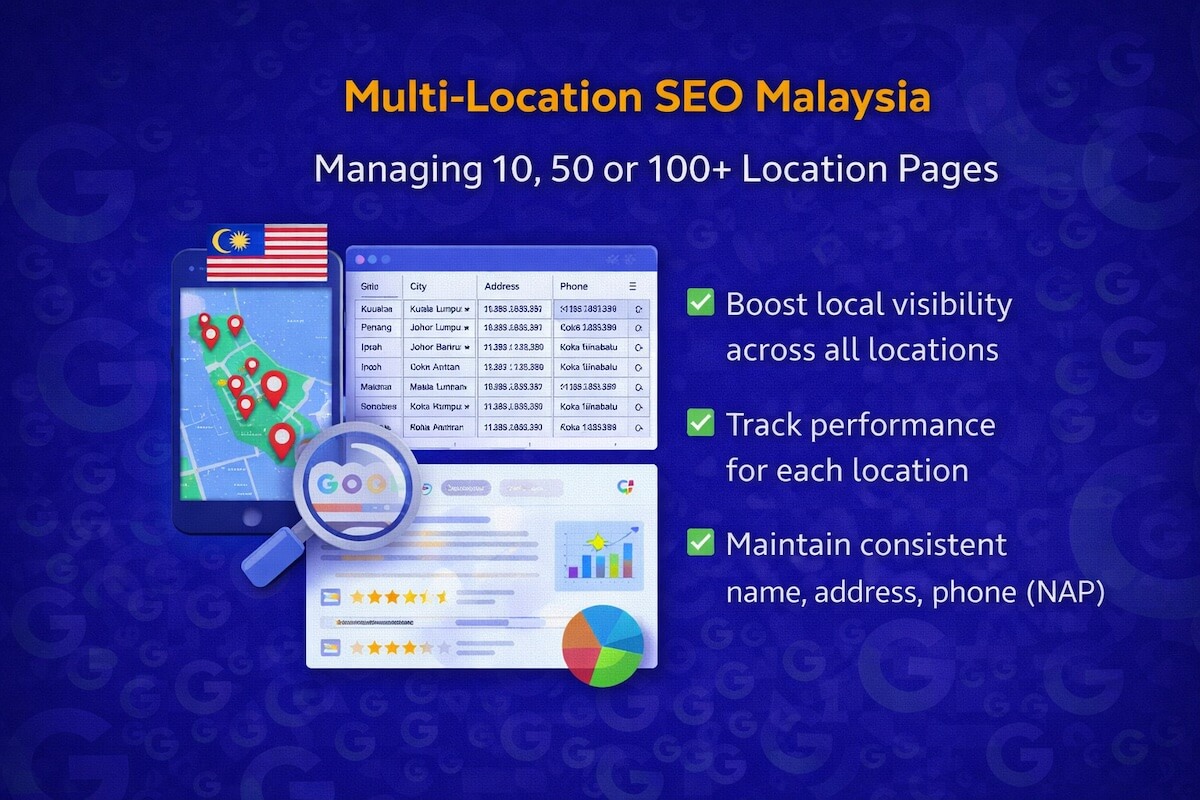
Running SEO across a single website is complex enough. Scale that across 10 branches in Klang Valley, 50 service centres nationwide, or 100+ retail locations spanning Peninsula Malaysia and East Malaysia, and the challenge shifts from optimisation to operational architecture. Enterprise brands in Malaysia face a version of multi-location SEO that is genuinely different from what most generic guides describe, partly because of Malaysia’s geographic spread, partly because of how Google indexes hyper-local signals, and partly because managing dozens of near-identical location pages at scale almost always produces the same failure: thin, duplicate content that cannibalises rankings and confuses crawlers.
This article breaks down exactly how enterprise brands can structure, build and maintain location pages that rank, convert and do not collapse under their own weight.
Key Takeaways
- Multi-location SEO in Malaysia requires a scalable page architecture, not just copy-pasted templates
- Google Business Profile (GBP) consistency across 10 to 100+ locations is one of the highest-impact activities for local pack visibility
- Thin or duplicate location pages actively harm rankings, and the fix is structured unique content, not mass rewrites
- LocalBusiness schema and geo-targeted hreflang decisions are technical requirements, not optional enhancements, at enterprise scale
- Crawl budget management becomes a significant SEO variable when your location page count crosses 50 or more
Why Multi-Location SEO in Malaysia Is a Different Problem
Most SEO frameworks treat local SEO as a single-location discipline: optimise the Google Business Profile, build citations, target “[service] near me” keywords. That model breaks at scale.
For an enterprise brand operating across multiple Malaysian states, the challenges compound across three simultaneous axes:
Geographic fragmentation. Malaysia’s population is distributed across distinct urban clusters: Greater KL/Klang Valley, Penang, Johor Bahru, Kota Kinabalu, Kuching, Ipoh and more. Each cluster has different search volumes, different competitive densities and different vernacular search patterns. A branch in Petaling Jaya competes in a different local SERP environment than a branch in Miri.
Linguistic complexity. Malaysian searchers use English, Bahasa Malaysia and a range of informal transliterations. “Car service centre near me” and “kedai servis kereta near me” are not the same query in terms of who searches them or how Google indexes local intent signals for each. Enterprise brands that build location pages in English only leave significant local search demand unaddressed.
Content duplication at scale. When 80 location pages share 90% of the same content, Google’s algorithms face a signal-dilution problem. Which page do you rank for “insurance agent Subang Jaya”? Which for “insurance agent Petaling Jaya”? If both pages look nearly identical, Google will often make that decision arbitrarily, or worse, suppress both.
Building a Location Page Architecture That Scales
The structural decisions you make before writing a single word of location page content will determine whether your strategy compounds or collapses.
The Folder vs. Subdomain Debate, Settled for Malaysia
For the vast majority of Malaysian enterprise brands, a subfolder architecture wins. The structure /locations/kuala-lumpur/ or /cawangan/petaling-jaya/ consolidates domain authority under one root, makes internal linking straightforward and gives you clean crawl paths.
Subdomains, such as petaling-jaya.brand.com.my, split your domain authority across separate entities in Google’s eyes. Unless you have extremely compelling operational reasons to use subdomains (separate tech stacks per region, distinct brand identities per territory), avoid them.
A clean subfolder hierarchy for a 100-location brand might look like this:
/locations/
  /locations/selangor/
    /locations/selangor/petaling-jaya/
    /locations/selangor/shah-alam/
    /locations/selangor/subang-jaya/
  /locations/penang/
    /locations/penang/george-town/
    /locations/penang/butterworth/
  /locations/sabah/
    /locations/sabah/kota-kinabalu/
This hierarchy serves three purposes. It gives Googlebot a logical crawl path. It enables targeted internal linking from state-level pages to city-level pages. It creates a natural topical cluster structure where state pages can rank for broader queries (“car service centres in Selangor”) while city pages rank for hyper-local queries (“car service centre Petaling Jaya”).
State-Level Pages as Intermediate Hubs
Many enterprise brands skip state-level pages and go straight to city or branch pages. This is a missed opportunity. State-level pages serve as intermediate hubs that capture higher-volume, lower-specificity queries, and then pass PageRank and relevance signals down to the city pages beneath them.
A state-level page for Selangor should include:
- A regional service overview relevant to the Selangor market specifically
- A directory-style list of all branch or city pages with descriptive snippets
- Local market context (population size, geographic coverage, relevant industry notes)
- State-level schema using
LocalBusinessorOrganizationaggregate markup
This architecture means that when a user searches “car workshop Selangor,” the state page can compete. When they search “car workshop Klang,” the city page competes. Neither cannibalises the other.
Writing Location Page Content That Is Not Thin or Duplicate
This is where most enterprise multi-location projects fail. The brief goes to a content team: write 100 location pages, here is the template, swap in the branch name and address. The result is 100 pages that are, structurally, the same document. Google identifies this pattern immediately.
The Minimum Unique Content Threshold
Each location page needs a minimum of three genuinely unique content elements that cannot be replicated across other pages:
1. Location-specific context. Not just the address. The neighbourhood character, nearby landmarks, relevant local catchment (e.g., “serving residents of SS2, SS3 and Taman Megah”), local transport access, parking information. This content is inherently unique because it describes a physical place.
2. Location-specific team or service details. If the branch has specific staff, specific specialisations or specific service hours that differ from other branches, surface that information. Even a photo of the branch frontage with a geo-tagged image adds a differentiating signal.
3. Location-specific social proof. Pull Google reviews or testimonials specific to that branch. A set of five recent reviews mentioning “the Ampang branch” or “the Kota Damansara team” is content that only exists for that page, builds trust and reinforces local relevance signals.
What the Template Can Handle
Templates are not the enemy. They are necessary at scale. The structural elements of a location page, the H1 format, the service list, the schema markup, the meta description format, the CTA section, can and should be templated. The mistake is treating all content as template content.
A sound division is: template handles structure, unique content fills meaning.
Google Business Profile Management at Scale
For brands with 10 to 100+ locations in Malaysia, Google Business Profile (GBP) management is not a once-per-quarter task. It is a live data management operation.
Consistency as a Trust Signal
Google cross-references the information on your GBP listing against your website’s location page, third-party citations (directories, social profiles) and user-generated signals (check-ins, reviews). When a branch in Damansara has its address listed differently across GBP, the website and a local directory, Google treats that as a low-confidence signal and depresses local pack visibility.
At scale, inconsistency is almost inevitable without a system. The operational fix is a master location data spreadsheet (sometimes called a location data spine) that acts as the single source of truth for:
- NAP data (Name, Address, Phone) per location
- Business hours including public holiday exceptions
- Primary and secondary GBP categories
- Service area definitions
- UTM-tagged website URLs linked from each GBP listing
Any change to a location’s details, a branch move, a new phone number, extended hours, starts in this spreadsheet and is pushed outward to all platforms simultaneously.
GBP at 10 vs. 100 Locations
At 10 locations, manual GBP management is viable with the right calendar. At 50+ locations, it requires either a dedicated local SEO tool (BrightLocal, Yext, Semrush’s Listing Management, or the GBP API for custom integrations) or an in-house operations process with clearly defined data ownership.
The GBP API is particularly relevant for enterprise brands because it allows programmatic updates, review monitoring at scale and performance reporting across all profiles in a structured dashboard.
Reviews as a Local Ranking Signal
Review velocity, volume and recency are among the most consistent local ranking signals in Google’s algorithm. For a 100-location brand, a centralised review generation strategy is needed, one that routes customers to the correct location-specific GBP listing rather than a generic brand listing.
A practical approach: post-service SMS or email with a direct link to the specific GBP review form for the branch they visited. Keep the ask simple and the friction minimal.
Technical SEO Considerations for 50+ Location Pages
When location page count crosses 50, several technical SEO variables become operationally significant.
Crawl Budget Allocation
Google allocates a crawl budget to each domain based on site authority and crawl health signals. A site with 200 location pages, each with their own URL variants (with and without trailing slashes, HTTP and HTTPS versions, filter parameters), can exhaust crawl budget on low-value page variants, leaving the canonical pages crawled infrequently.
Actions that protect crawl budget at scale:
- Canonical tags on all location page variants pointing to the clean URL
- Robots.txt directives blocking parameter-based URL duplicates
- XML sitemaps that include all location pages, segmented into location-specific sitemap index files for clarity
- Regular crawl reporting (Screaming Frog, Sitebulb or Google Search Console’s coverage report) to catch crawl anomalies early
LocalBusiness Schema Implementation
At scale, LocalBusiness schema cannot be added manually. It needs to be generated programmatically from the location data spine. Each location page’s schema block should include at minimum:
@type: the most specific applicable BusinessType (e.g.,AutoRepair,InsuranceAgency,Store)name,address,telephone,openingHoursgeocoordinates (latitude and longitude)urlpointing to the canonical location pageaggregateRatingif reviews data is available and accurate
The geo coordinates in schema are especially valuable because they give Google a precise spatial anchor for the listing, reducing ambiguity in cases where street addresses in Malaysia’s older townships are less standardised.
Page Speed on Location Pages
Location pages often load slowly at enterprise scale because they are populated dynamically from a CMS location database, they include embedded Google Maps, and they pull in live review feeds. Core Web Vitals scores, especially LCP (Largest Contentful Paint) and CLS (Cumulative Layout Shift), should be monitored per location page template, not just at a site-wide level.
A lazy-loaded Google Maps embed and a preloaded hero image can significantly reduce LCP on mobile devices, which is relevant given that the majority of “near me” searches originate on mobile.
Internal Linking Strategy Across Location Pages
Internal linking within a multi-location architecture serves two functions: distributing PageRank from high-authority pages to location pages, and establishing topical relationships between location pages and service pages.
From Service Pages to Location Pages
Your main Technical SEO or Insurance service page carries more authority than any individual location page. A contextual internal link from the service page to a relevant location page (“see our Penang office” or “available at 12 locations across Selangor”) passes authority downstream and creates a crawl path that Googlebot follows reliably.
Between Location Pages at the Same State Level
Cross-linking between city pages within the same state serves the local SEO goal of establishing a geographic footprint signal. A Petaling Jaya location page linking to Shah Alam and Subang Jaya pages (with anchor text reflecting those locations) reinforces to Google that this brand has a meaningful physical presence across that cluster, not just a single point.
The “Nearest Branch” Widget Risk
Many enterprise sites use a “find your nearest branch” widget or embedded location finder. If this widget is JavaScript-rendered and not crawlable, Google cannot follow the links within it. The result is that your location pages are linked from within the widget but receive no crawlable internal link equity from it. Audit all location finders and branch locators to confirm they render in a crawlable HTML format, or supplement them with static HTML sitemaps in the site footer.
Monitoring and Maintaining Performance Across All Locations
At enterprise scale, you cannot optimise what you cannot see. Performance monitoring across 100+ location pages requires a reporting structure that surfaces both site-wide patterns and individual location anomalies.
Google Search Console Segmentation
Google Search Console does not natively segment performance by location page subfolder, but filtering by URL path prefix (/locations/) gives you an aggregated view of how location pages are performing as a group. A drop in impressions or clicks across the /locations/ path that does not affect the rest of the site usually points to a location-specific technical issue: a crawl error, a canonical problem or a GBP suspension.
Rank Tracking by Location Cluster
Standard rank tracking tools report national rankings. For multi-location enterprise SEO in Malaysia, you need rank tracking configured with local modifiers. Track “insurance agent Petaling Jaya” from a Petaling Jaya search location, not from a default Kuala Lumpur server. Tools like BrightLocal, SE Ranking and Semrush support localised rank tracking with city-level precision.
GBP Insights Aggregation
Each GBP listing generates insights data: search impressions, direction requests, website clicks, call clicks. At 100+ locations, reviewing these individually is operationally unrealistic. Aggregating GBP insights data via the API into a centralised dashboard (Google Data Studio/Looker Studio is the most accessible option) gives you a portfolio-level view of local search performance with the ability to drill into underperforming locations.
How Enterprise Brands in Malaysia Get This Wrong (and How to Fix It)
A few patterns appear repeatedly in enterprise multi-location SEO projects in Malaysia:
Treating all locations as equal priority. Not every location generates the same revenue or serves the same competitive environment. A branch in Mid Valley warrants more SEO investment than a branch in a low-competition secondary town. Prioritise locations by commercial value and competitive gap, then allocate content and link-building resources accordingly.
Ignoring East Malaysia. Sabah and Sarawak have distinct local search characteristics. Search volumes are lower but competition is also considerably thinner. Brands that build genuinely useful location pages for Kota Kinabalu, Kuching, Sandakan and Miri often achieve local pack visibility far faster than in the saturated KL market.
Not auditing for GBP duplicates. Brands that have existed for years often accumulate duplicate or unclaimed GBP listings created by Google from third-party data. A single branch can have two or three GBP profiles, splitting review equity and creating NAP inconsistencies. A full GBP audit to identify and merge duplicates is a one-time task with lasting ranking impact.
Building location pages without a content brief. Instructing a content team to “write about the branch” without a structured brief produces filler content. Each location page should have a brief that specifies the unique content elements required, the target keywords, the nearby landmarks to reference, the local service nuances and the minimum word count for unique content sections.
Frequently Asked Questions
How many location pages is too many for one website?
There is no hard ceiling, but page count is never the problem by itself. Thin or duplicate location pages at any scale create ranking problems. A site with 500 location pages that are genuinely distinct and technically sound can perform well. A site with 20 near-identical location pages will cannibalise itself. The question is not how many, but how much unique value each page delivers.
Should each location page target the same primary keyword with a different city modifier?
Generally yes, with nuance. “[Service] + [City]” is the standard structure and it works. The nuance is in matching keyword volume to page investment. If “car service Shah Alam” gets 2,400 searches per month and “car service Nilai” gets 90 searches per month, those pages warrant different levels of content depth and backlink investment.
Do I need a separate GBP listing for every location?
Yes, if each location has a distinct physical address and serves customers at that address. Google’s guidelines support individual GBP listings per physical location. What you should avoid is creating GBP listings for service areas where you have no physical presence, as these are increasingly suppressed by Google’s algorithms.
How do I handle location pages for closed or temporarily inactive branches?
Do not delete them outright if the branch may reopen. Update the page content to reflect the temporary closure, set the GBP listing to temporarily closed and keep the URL live with a redirect plan ready. If a branch is permanently closed, redirect the URL to the nearest active location page or the state-level hub page.
Is Bahasa Malaysia content necessary for location pages?
It depends on your audience and the search demand data for your vertical. For verticals like automotive workshops, clinics, hardware stores and food service, significant search volume exists in Bahasa Malaysia. For B2B services, English tends to dominate query patterns. Check your Google Search Console query data and keyword research for each location to make a data-driven language decision rather than applying one policy site-wide.
How long does it take for location pages to rank after publishing?
In competitive Malaysian urban markets (KL, PJ, Penang), new location pages typically need three to six months to build ranking traction, assuming GBP is consistent, schema is correct and relevant backlinks exist. In less competitive locations (secondary towns, East Malaysia), visible local pack rankings can appear within four to eight weeks. Actual timelines depend on domain authority, competition density and content quality.
A multi-location SEO strategy in Malaysia only delivers at enterprise scale when the architecture, content, technical layer and GBP operations are treated as an integrated system, not a set of independent tasks.